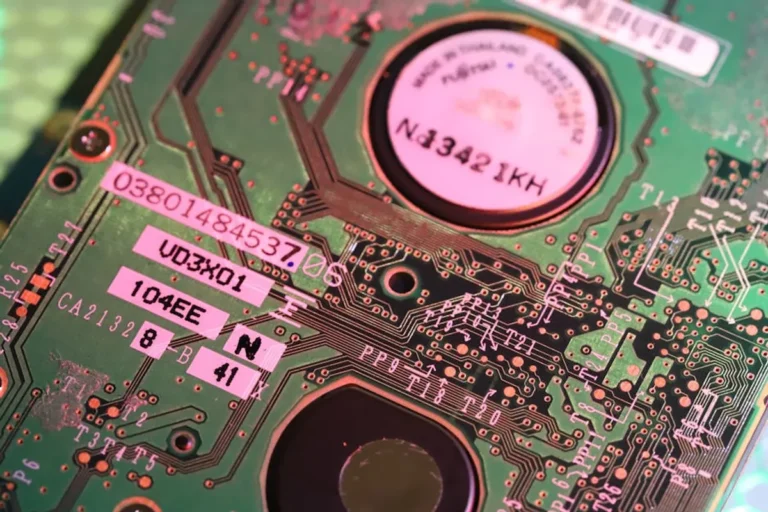
Undertaking do-it-yourself electronics projects offers immense satisfaction, but it inherently carries risks. Ignoring fundamental safety protocols can lead to component damage, costly project setbacks, or, more critically, severe personal injury from electrical shock, burns, or chemical exposure. This guide provides a structured safety checklist designed to mitigate these risks, ensuring your DIY endeavors remain productive and secure. Adopting a rigorous safety mindset from conception to completion is not merely a recommendation; it is an operational necessity that protects your investment in time and materials, and, most importantly, your well-being.
Foundational Safety Principles
Understanding Electrical Hazards
Before any component is touched, a clear understanding of electrical hazards is paramount. Voltage, current, and power each present distinct dangers. High voltage can break down insulation and cause arcs, while high current through the body can disrupt heart function. Even low voltage can be dangerous if current is sufficient or skin resistance is low. Always assume a circuit is live until proven otherwise with a multimeter. Understand the difference between AC and DC power sources; AC often presents higher shock risks due to its oscillating nature and prevalence in mains power.
Reasoning: Misconceptions about "safe" voltage levels or the nature of current flow lead directly to preventable accidents.
Personal Protective Equipment (PPE) Essentials
Appropriate PPE acts as your primary barrier against common workshop hazards. This is not optional; it's a non-negotiable requirement for any electronics work.
- Safety Glasses/Goggles: Essential for shielding eyes from solder splatter, wire clippings, component fragments, and chemical splashes. Look for ANSI Z87.1 certified eyewear.
- Heat-Resistant Gloves: Protect hands from burns during soldering, desoldering, or handling hot components. Avoid thin latex gloves which offer no thermal protection.
- Anti-Static Wrist Strap: Prevents electrostatic discharge (ESD) damage to sensitive components. Connect it to a grounded point in your workspace.
- Respirator/Fume Extractor: Crucial for filtering harmful fumes from soldering, glues, or chemical agents. Prolonged inhalation of flux fumes, for instance, can cause respiratory irritation or sensitization.
- Non-Conductive Footwear: Provides an additional layer of insulation from ground, reducing the risk of shock if contact is made with a live circuit and the floor.
Reasoning: Direct physical protection prevents injuries that can range from minor burns to permanent vision loss.
Workspace Preparation and Organization
A clean, organized, and properly equipped workspace is a cornerstone of electronics safety. Clutter increases the risk of accidental short circuits, component damage, and physical injury from misplaced tools or spills.
Best practice: Designate a specific area for electronics work, ensuring it is well-lit and free from distractions. Use a non-conductive, heat-resistant mat on your workbench. Ensure adequate ventilation, especially when working with solvents or soldering. Keep all liquids, especially drinks, away from the work area to prevent spills onto live circuits or components. All electrical outlets should be properly grounded, and consider using a Ground Fault Circuit Interrupter (GFCI) for added protection, particularly in damp environments.
Reasoning: An unkempt workspace multiplies accident potential through poor visibility, obstructed movement, and increased contact risk with hazardous materials or live circuits.
Pre-Project Safety Checks
Component Verification and Sourcing
The integrity of your components directly impacts project safety and performance. Always source components from reputable suppliers to ensure authenticity and adherence to specifications. Counterfeit or substandard components may fail unexpectedly, overheat, or even catch fire. Verify component ratings (voltage, current, power dissipation) against your design requirements. Ensure capacitors are correctly rated for voltage and polarity, as incorrect installation can lead to explosive failure. Check diodes and transistors for correct orientation before soldering.
Reasoning: Faulty or incorrectly specified components are a leading cause of circuit failure, overheating, and potential fire hazards.
Tool Inspection and Maintenance
Your tools are an extension of your hands; their condition directly influences safety. Regularly inspect all hand tools (pliers, cutters, screwdrivers) for damaged insulation, loose handles, or worn tips. Electrical tools, such as soldering irons, hot air stations, and power supplies, require particular attention. Check power cords for fraying or exposed wires. Ensure soldering iron tips are clean and properly tinned. Calibrate multimeters periodically to ensure accurate readings. Replace any tool showing signs of damage or wear immediately.
Reasoning: Damaged tools can cause short circuits, deliver shocks, or fail mechanically, leading to injury or project damage.
Power Supply Management
The power supply is often the most dangerous element in a DIY electronics project. Always use a regulated power supply with overcurrent protection. Start with the lowest necessary voltage and current settings during initial testing. Never connect directly to mains power without proper isolation and fusing. Understand the difference between isolated and non-isolated power supplies; isolated supplies offer a critical safety barrier. For battery-powered projects, ensure batteries are correctly rated, charged, and protected against overcurrent or short circuits.
Reasoning: Improper power management is a primary cause of electrical shock, component destruction, and fire. Always use a regulated power supply with overcurrent protection, and consider how to choose power supplies carefully for your specific needs.
During-Project Safety Practices
Soldering and Heat Safety
Soldering involves high temperatures and noxious fumes. Always use a soldering iron stand to prevent accidental burns or damage to the workbench. Ensure the tip is clean and tinned, which improves heat transfer and reduces soldering time. Use a fume extractor or work in a well-ventilated area to avoid inhaling flux fumes. Allow components to cool before handling. Never touch the tip of a hot soldering iron directly. Be mindful of hot air rework stations, which can heat components and boards rapidly.
Reasoning: Direct heat contact and fume inhalation pose immediate risks of burns and respiratory issues.
Circuit Testing Protocols
Testing circuits, especially live ones, demands a methodical approach. Always connect test leads to a de-energized circuit first, then apply power. Use only one hand when probing live circuits to prevent current from flowing across your chest and through your heart, which can be fatal. Keep other hand in your pocket or behind your back. Use insulated probes and clips. Avoid working alone on live circuits. Clearly label test points and voltage levels.
Reasoning: Haphazard testing of live circuits significantly increases the risk of electrical shock.
Pro Tip: When testing a circuit under power, especially one connected to mains, always use an isolation transformer. This device provides a critical safety barrier by preventing a direct connection to the AC line, drastically reducing the risk of severe electrical shock if you accidentally touch a live wire and ground simultaneously. It's an investment that pays for itself by protecting both you and your sensitive test equipment.
Chemical and Fume Management
Many electronics projects involve chemicals like flux removers, glues, conformal coatings, and cleaning agents. Always read the Material Safety Data Sheet (MSDS) for any chemical used to understand its specific hazards, required PPE, and proper handling procedures. Work in a well-ventilated area or use a fume hood. Store chemicals in their original, labeled containers, away from heat sources and incompatible materials. Dispose of chemical waste according to local regulations; never pour them down the drain.
Reasoning: Improper handling or exposure to chemicals can cause skin irritation, respiratory problems, or long-term health issues.
Post-Project Safety Considerations
Proper Disposal of Materials
Electronic waste (e-waste) contains hazardous materials like lead, mercury, and cadmium. Do not dispose of e-waste in regular household trash. Research local e-waste recycling programs or designated collection points. Batteries, especially lithium-ion, require special disposal due to fire risk if damaged. Properly discharge large capacitors before disposal to prevent shock hazards.
Reasoning: Irresponsible disposal harms the environment and can pose health risks to waste handlers.
Final System Testing and Enclosure
Before deploying any DIY electronic device, conduct thorough final testing. This includes stress testing under expected load conditions, thermal analysis to ensure components don't overheat, and electromagnetic compatibility (EMC) checks if relevant. Enclose all projects in appropriate housings to prevent accidental contact with live circuits, protect components from environmental factors, and provide mechanical stability. Ensure enclosures have adequate ventilation if the circuit generates heat.
Reasoning: Inadequate final testing or lack of proper enclosure leads to unreliable operation, potential hazards, and reduced lifespan.
Documentation and Labeling
Documenting your project isn't just for future reference; it's a safety measure. Include schematics, bill of materials, assembly instructions, and any specific safety warnings. Label your finished project clearly with power requirements, input/output specifications, and any critical safety warnings (e.g., "High Voltage Inside," "Do Not Open While Powered"). This is crucial for anyone else who might interact with your device.
Reasoning: Clear documentation and labeling prevent misuse, facilitate safe maintenance, and inform users of inherent risks.
Implementing Your Safety Protocol
A safety checklist is only effective when consistently applied. Integrate these steps into your standard operating procedure for every electronics project, regardless of perceived complexity. Regular review of your safety practices, learning from any near-misses, and staying updated on best practices will solidify your commitment to a secure and successful DIY experience. Prioritize safety as an integral part of your design and build process, not an afterthought.
Frequently Asked Questions
What is the most common safety mistake in DIY electronics?
The most common mistake is complacency regarding power sources, leading to assumptions that circuits are de-energized or that low voltages are inherently safe. Always verify with a multimeter.
How can I protect sensitive components from ESD?
Use an anti-static wrist strap connected to a grounded point, work on an anti-static mat, and handle components by their edges, minimizing contact with pins and leads.
Is it safe to work on electronics near water?
No, water is conductive and significantly increases the risk of electrical shock. Always work in a dry environment and keep liquids away from your workspace.
What should I do if I get an electrical shock?
Immediately disconnect the power source if safe to do so. If the shock is severe, or if you experience any lingering symptoms like pain, numbness, or heart palpitations, seek immediate medical attention.