Deciding between a Chromebook and a tablet involves more than just comparing specifications; it requires a clear understanding of your primary use cases, desired workflow, and budget. While both offer portability and access to a wide range of applications, their core operating systems, hardware designs, and intended user experiences diverge significantly. A tablet, often characterized by its slate form factor and touch-first interface, excels at content consumption, casual gaming, and creative tasks. A Chromebook, typically a laptop-style device running Chrome OS, prioritizes web-based productivity, cloud integration, and a traditional keyboard-and-trackpad workflow. This guide outlines their distinct capabilities to help you determine which device aligns best with your digital needs. Ultimately, understanding the core differences will help you determine which one to buy for your specific needs.
Understanding Chromebooks: Cloud-First Productivity
Chromebooks operate on Google's Chrome OS, a lightweight, Linux-based operating system built around the Chrome browser. This architecture emphasizes cloud computing, meaning most applications and data reside online rather than on the device's local storage. This design contributes to their rapid boot times, robust security features, and generally lower price points compared to traditional laptops.
The user experience on a Chromebook is designed for efficiency in web-centric tasks. They come equipped with physical keyboards and trackpads, making them suitable for extensive typing, document creation, and email management. While primarily cloud-dependent, modern Chromebooks offer increasing offline capabilities and support for Android applications, expanding their utility beyond a simple web browser.
Best for:
- Students requiring a durable, affordable device for assignments and research.
- Casual users who primarily browse the web, manage email, and stream media.
- Professionals whose workflow is largely based on Google Workspace, Microsoft 365 web apps, or other cloud-based platforms.
- Users prioritizing security, fast startup, and minimal maintenance.
Understanding Tablets: Touch-First Consumption and Creation
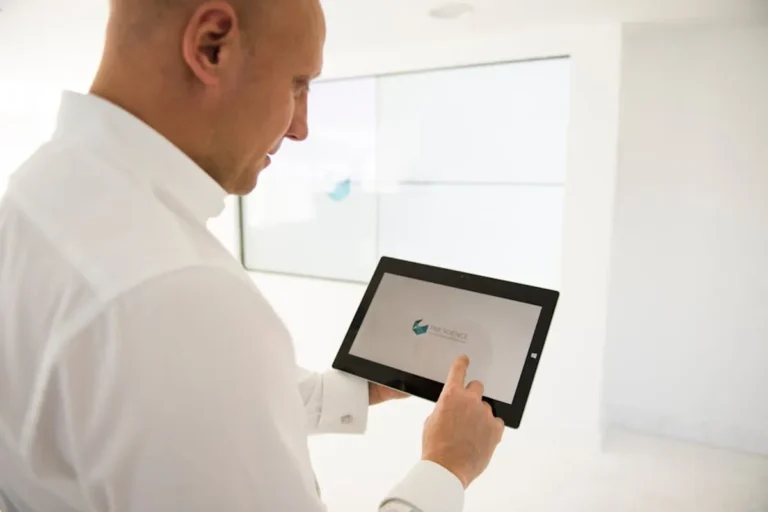
Tablets are defined by their touch-screen interface and slate design, prioritizing portability and intuitive interaction. They run various operating systems, with Apple's iOS (iPadOS) and Google's Android being the most prevalent. Microsoft Surface devices offer a full Windows experience, blurring the line between tablet and laptop.
The strength of tablets lies in their app ecosystems, offering millions of applications optimized for touch input. They excel at media consumption, including video streaming, e-reading, and casual gaming. With the addition of accessories like styluses and detachable keyboards, tablets can transform into capable tools for digital art, note-taking, and light productivity, though their multi-tasking capabilities can vary significantly by OS and model.
Best for:
- Media enthusiasts who stream movies, read e-books, and consume digital content.
- Artists and designers who leverage stylus input for drawing and graphic design.
- Users seeking maximum portability and a device that can be easily held or used on the go.
- Individuals who prefer a touch-centric interface for most interactions.
Core Differentiators: OS, Hardware, Software, and Performance
Operating System Philosophy
Chrome OS is fundamentally a web browser with additional functionalities, focusing on speed, security, and cloud integration. It's designed to be simple, self-updating, and largely reliant on an internet connection. Android and iOS, on the other hand, are mobile operating systems optimized for touch and app ecosystems. They offer deeper integration with mobile services, robust local app performance, and a more diverse range of hardware configurations, from budget-friendly options to high-performance devices.
Hardware Design and Input
Chromebooks typically adhere to a laptop form factor, featuring a physical keyboard and trackpad as primary input methods. This design is inherently more conducive to typing-intensive tasks. Tablets, by contrast, are slate devices where the touchscreen is the primary interface. While many tablets support external keyboards and styluses, these are often optional accessories, and the core experience remains touch-driven. The physical integration of input devices on a Chromebook often provides a more stable and ergonomic typing experience for extended periods.
Software Ecosystem and Application Availability
The software landscape differs significantly. Chromebooks primarily run web applications, though many support Android apps and, increasingly, Linux applications for more specialized tasks. This means that if your workflow depends on specific desktop software (e.g., professional-grade video editing suites, CAD software), a Chromebook may not be suitable. Tablets, especially those running iOS or Android, boast extensive app stores with millions of mobile-optimized applications. These apps often provide a more polished touch experience than their web-based counterparts but may lack the full feature sets of desktop-grade software.
Performance and Processing Power
Chromebooks are optimized for efficiency, running lightweight tasks with modest processors. Their performance is less about raw power and more about the responsiveness of Chrome OS for web browsing and cloud applications. Tablets, particularly high-end models like the iPad Pro or Samsung Galaxy Tab S series, can feature powerful processors capable of handling demanding mobile games, complex creative applications, and even some desktop-level tasks. However, this increased power often comes with a higher price tag and potentially shorter battery life under heavy load.
Pro Tip: Evaluate your daily digital tasks. If you spend most of your time in a web browser, writing documents, or managing email, a Chromebook offers a streamlined and secure experience. If your activities lean towards media consumption, digital art, or mobile-specific applications, a tablet provides superior flexibility and a touch-optimized interface. If reading is a primary activity, you might also want to consider how a tablet specifically serves as a great tablet for reading.
Making Your Purchase Decision
Your final choice should align directly with how you intend to use the device most frequently.
Consider your budget: Chromebooks generally offer better value for money in the entry-level and mid-range segments, providing a complete computing experience at a lower cost. Premium tablets, especially those with accessories, can rival or exceed the price of many traditional laptops.
Think about portability versus productivity: Tablets win on sheer portability and ease of casual use, fitting easily into small bags and offering instant-on access. Chromebooks, while portable, still retain the laptop form factor, which is less ideal for one-handed use or spontaneous content consumption in varied environments.
Assess your ecosystem: If you are heavily invested in Google's services and cloud storage, a Chromebook provides seamless integration. If you are an iPhone user, an iPad offers a cohesive experience within the Apple ecosystem. Android tablets integrate well with other Android devices and services.
Final Considerations for Your Workflow
The distinction between Chromebooks and tablets continues to evolve, with many devices blurring the lines through features like detachable keyboards, stylus support, and expanded app compatibility. However, their fundamental design philosophies remain distinct. A Chromebook prioritizes a traditional keyboard-and-mouse workflow for web-centric tasks and light productivity, emphasizing security, speed, and affordability. A tablet prioritizes a touch-first interface for media consumption, casual gaming, and creative endeavors, emphasizing portability and a vast app ecosystem. By focusing on your primary use cases and workflow requirements, you can select the device that best supports your digital lifestyle.
Frequently Asked Questions
Can a Chromebook replace a traditional laptop?
For many users whose primary tasks involve web browsing, email, word processing, and cloud-based applications, a Chromebook can effectively replace a traditional laptop, especially for those prioritizing affordability and security.
Are tablets good for productivity?
Tablets can be productive, particularly with accessories like a keyboard and stylus, for tasks such as note-taking, digital art, and light document editing. However, for heavy typing or complex multi-tasking, a Chromebook or traditional laptop often provides a more efficient experience.
Which device is better for students?
Both can serve students well. Chromebooks are often favored for their affordability, durability, and ease of use for research and assignments requiring significant typing. Tablets excel for interactive learning, reading digital textbooks, and creative projects.
Do Chromebooks and tablets require an internet connection to work?
Chromebooks are designed for cloud connectivity, but modern models offer increasing offline functionality for documents and some apps. Tablets typically offer more robust offline capabilities for installed apps, media, and games, though many features benefit from an internet connection.