Setting up a DIY electronics workbench requires a strategic approach to tool selection, balancing functionality with budget and project scope. The right tools streamline tasks, improve precision, and enhance safety, directly impacting the quality and efficiency of your electronics work. This guide focuses on identifying core equipment categories, highlighting their specific utility, and outlining the practical considerations for each, moving beyond generic recommendations to provide concrete insights for building a functional and effective workspace.
Key Considerations for Your DIY Electronics Workbench
Before acquiring tools, assess your primary electronics activities. Are you mainly prototyping with microcontrollers, repairing consumer electronics, or building audio amplifiers? This dictates the necessary precision, power, and diagnostic capabilities. Consider your available space; compact tools or multi-function devices might be essential. Budget is a practical constraint, but prioritizing foundational tools that offer versatility and reliability often proves more cost-effective in the long run. Finally, think about future expansion; investing in a modular system or tools that can be upgraded later avoids premature obsolescence.
1. Soldering Station
A soldering station is the cornerstone of any electronics workbench, providing controlled heat for joining components to circuit boards. Unlike basic soldering irons, stations offer precise temperature regulation, critical for working with various solder types and heat-sensitive components. Modern units often feature digital displays, rapid heat-up times, and interchangeable tips, allowing for fine-pitch work or larger component soldering. The wattage rating indicates its heating power; higher wattage stations recover temperature faster, which is beneficial for soldering larger pads or ground planes.
Best for: Assembling PCBs, component repair, prototyping, fine-pitch soldering, through-hole work.
Pros: Precise temperature control prevents component damage; consistent heat output for reliable joints; wide range of compatible tips for diverse tasks; improved safety features like automatic shut-off.
Cons: Higher initial cost than a basic iron; requires consumables like solder and cleaning sponges/brass wool; some units can be bulky on smaller benches.
Verdict: An indispensable investment for anyone serious about electronics assembly. Prioritize models with stable temperature control and a good selection of tips to cover most project requirements.
2. Digital Multimeter
A digital multimeter (DMM) is an essential diagnostic tool for measuring electrical parameters. It typically measures voltage (AC/DC), current (AC/DC), and resistance, with advanced models including capacitance, frequency, temperature, and diode/continuity testing. Its utility spans from verifying power supply outputs and checking component values to troubleshooting circuit faults. Accuracy and resolution are key specifications; higher-end DMMs offer greater precision for sensitive measurements. Auto-ranging features simplify operation by automatically selecting the correct measurement range.
Best for: Circuit testing, voltage verification, resistance measurement, continuity checks, basic troubleshooting, power supply monitoring.
Pros: Versatile for diagnosing electrical issues; provides quantitative data for circuit analysis; relatively easy to use; essential for safety checks before powering circuits.
Cons: Entry-level models may lack advanced features or accuracy; improper use can damage the device or circuit; does not show waveform characteristics.
Verdict: Absolutely fundamental for any electronics work. Select a DMM with sufficient accuracy and measurement capabilities for your intended projects, prioritizing safety ratings for higher voltage applications.
3. Benchtop Power Supply
A benchtop power supply provides a stable, adjustable DC voltage and current source, crucial for powering and testing electronic circuits during development. Unlike battery power, a benchtop supply offers consistent output and allows for easy voltage adjustments, current limiting, and often, current monitoring. Current limiting is a critical safety feature, protecting circuits from damage during short circuits or unexpected faults. Single-output units are common, but dual or triple-output supplies offer flexibility for circuits requiring multiple voltage rails or bipolar supplies.
Best for: Powering prototypes, testing components, debugging circuits, simulating various power conditions, charging small batteries.
Pros: Adjustable voltage and current; current limiting protects circuits; stable and clean power output; real-time voltage and current monitoring.
Cons: Can be a significant investment; occupies considerable bench space; lower-cost models might have less precise regulation or higher noise output.
Verdict: Highly recommended for anyone prototyping or developing circuits. Choose a unit with sufficient voltage and current range for your projects, prioritizing precise control and reliable current limiting.
4. Entry-Level Oscilloscope
An oscilloscope visualizes electrical signals over time, providing insights into waveform shape, frequency, amplitude, and noise. While DMMs give static readings, an oscilloscope reveals dynamic circuit behavior, essential for understanding digital signals, analog waveforms, and timing issues. Entry-level digital storage oscilloscopes (DSOs) are now affordable, offering features like signal capture, measurement functions, and PC connectivity. Key specifications include bandwidth (the maximum frequency it can accurately display) and sample rate (how many samples it takes per second), which determine its ability to capture fast signals accurately.
Best for: Debugging digital communication protocols, analyzing analog signals, measuring signal timing, identifying noise, troubleshooting RF circuits.
Pros: Provides visual insight into circuit operation; essential for advanced debugging; can reveal intermittent faults; many models offer built-in analysis tools.
Cons: Steeper learning curve than other tools; higher cost than a DMM; bandwidth and sample rate limitations in entry-level models; can be complex to set up for specific measurements.
Verdict: A powerful diagnostic tool that significantly elevates debugging capabilities. While not strictly essential for absolute beginners, it becomes invaluable for anyone moving beyond basic circuit assembly and into signal analysis.
5. Hand Tools (Pliers, Cutters, Strippers)
A set of high-quality hand tools is indispensable for manipulating wires and components. This category includes needle-nose pliers for gripping and bending, flush cutters for trimming component leads cleanly, and wire strippers for removing insulation without damaging conductors. Precision is key; cheap tools can damage delicate components or leave frayed wire ends. ESD-safe handles are beneficial for working with sensitive electronics, preventing static discharge. Investing in ergonomic designs reduces hand fatigue during prolonged work sessions.
Best for: Component lead trimming, wire preparation, bending wires, holding small parts, general assembly tasks.
Pros: Essential for physical manipulation of components and wires; improves assembly quality; reduces risk of component damage compared to makeshift tools; durable with proper care.
Cons: Poor quality tools can damage components or be ineffective; requires careful selection based on specific tasks (e.g., fine vs. heavy gauge wire).
Verdict: Foundational tools that enable precise physical work. Prioritize quality, ergonomic design, and appropriate sizes for the types of wires and components you'll be handling.
6. Screwdriver Set (Precision & Standard)
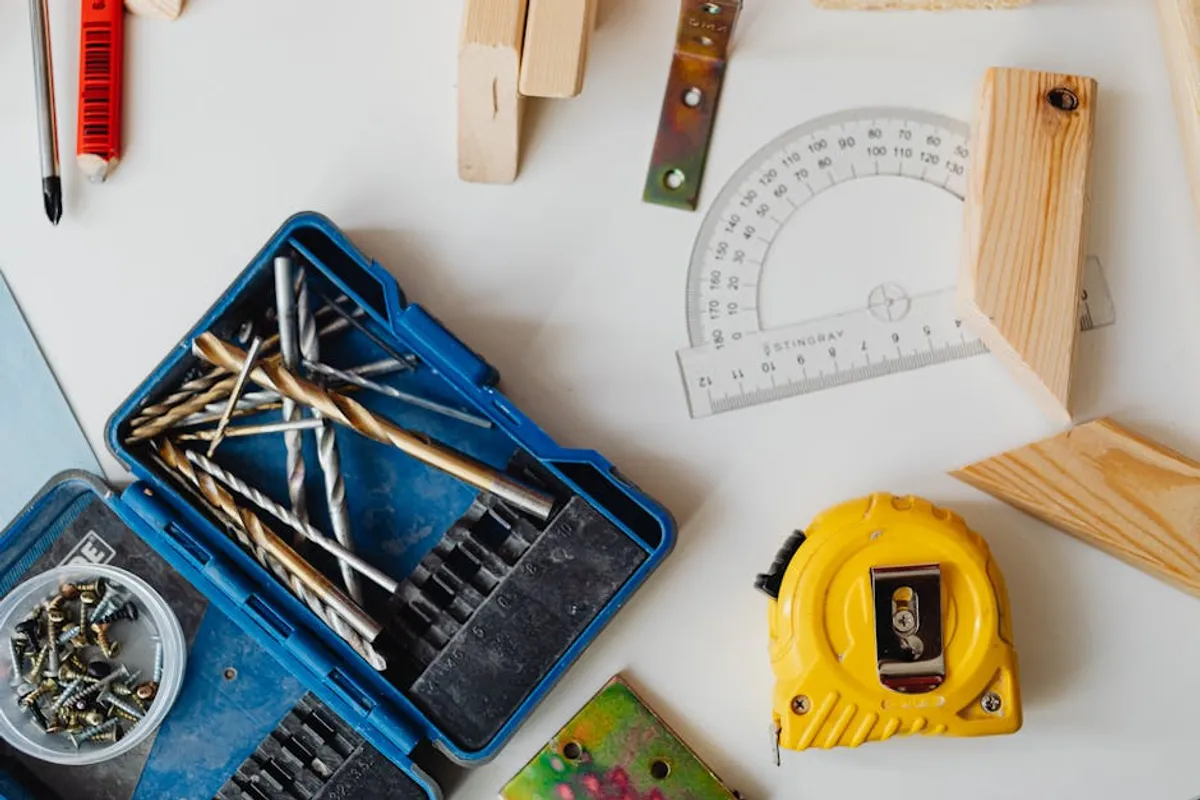
A comprehensive screwdriver set, encompassing both precision and standard sizes, is crucial for disassembling, assembling, and securing electronic enclosures and components. Precision sets typically include very small Phillips, flathead, Torx, and hex drivers, essential for working with circuit board screws, laptops, and mobile devices. Standard sets handle larger fasteners found in power supplies, chassis, and mounting hardware. Magnetic tips are a convenience for holding small screws, and ergonomic handles improve grip and torque application. Insulated drivers are a safety benefit when working near live circuits, though power should always be disconnected first.
Best for: Assembling enclosures, securing PCBs, component installation, general repair, disassembling consumer electronics.
Pros: Necessary for mechanical assembly and disassembly; prevents damage to screw heads; covers a wide range of fastener types and sizes; improves efficiency.
Cons: Can be frustrating if the correct size/type isn't available; cheap sets may strip screw heads or wear out quickly; easily misplaced small drivers.
Verdict: A basic requirement for any electronics workbench. Invest in a set that offers a good range of sizes and bit types, focusing on durability and comfortable handles.
7. Magnifying Lamp with Clamp
Working with surface-mount components or inspecting fine solder joints requires magnification and ample illumination. A magnifying lamp combines both, typically featuring a circular fluorescent or LED light around a magnifying lens. Clamp-on models save bench space and allow for flexible positioning. The magnification power (e.g., 3x, 5x diopter) and lens diameter are key considerations. Good lighting reduces eye strain and improves visibility of small details, critical for accurate soldering and inspection. Articulating arms provide flexibility to position the light and magnification exactly where needed.
Best for: Inspecting solder joints, working with small components, fine-pitch soldering, reading small labels, detailed assembly.
Pros: Reduces eye strain; improves precision for detailed work; provides bright, shadow-free illumination; frees up hands compared to handheld magnifiers.
Cons: Can take up bench space; lower-quality lenses may introduce distortion; some models can generate heat; fixed magnification limits versatility.
Verdict: Highly beneficial for anyone regularly working with small components or intricate circuits. Prioritize models with good illumination, a clear lens, and a stable, adjustable arm.
8. Desoldering Tool (Pump/Braid)
Desoldering tools are used to remove solder, allowing for component replacement or correction of soldering errors. A desoldering pump (solder sucker) uses vacuum suction to remove molten solder from a joint. Desoldering braid (solder wick) uses capillary action to draw molten solder into a copper braid. Both are effective, but often used in conjunction or chosen based on the specific task. Desoldering stations, which integrate a vacuum pump into a soldering iron, offer more powerful and controlled desoldering, especially for multi-pin components or larger pads.
Best for: Removing components, correcting solder bridges, cleaning up excess solder, salvaging parts from old boards.
Pros: Essential for rework and repair; prevents damage to components or PCBs during removal; relatively inexpensive for basic tools; improves cleanliness of solder pads.
Cons: Desoldering pumps require manual operation and can sometimes be clumsy; braid can be slow for large amounts of solder; integrated desoldering stations are costly.
Verdict: Crucial for any rework or repair tasks. A basic pump and braid set is a good starting point, with an integrated desoldering station being a significant upgrade for frequent rework.
9. Solder Fume Extractor
Soldering produces fumes containing rosin and other chemicals that can be harmful if inhaled regularly. A solder fume extractor uses a fan and activated carbon filter to draw these fumes away from the workspace, protecting your respiratory health. These units are typically compact and can be positioned close to the soldering area. While not always mandatory for occasional use in well-ventilated spaces, they are a critical safety component for anyone performing frequent or prolonged soldering. Filter replacement is a recurring maintenance item.
Best for: Protecting respiratory health during soldering, maintaining a clean workspace, reducing odor.
Pros: Essential safety equipment; removes harmful fumes from breathing zone; improves comfort during soldering; relatively simple to operate.
Cons: Requires filter replacement; can be noisy depending on the model; takes up additional bench space; limited effectiveness in very large, open spaces.
Verdict: A non-negotiable safety item for regular soldering. Prioritize models with effective filtration and a strong fan to ensure adequate fume capture.
10. Breadboards and Jumper Wires
Breadboards (solderless proto-boards) are fundamental for rapidly prototyping and testing circuits without permanent connections. Components can be easily inserted and removed, making iterative design and debugging straightforward. Jumper wires, in various lengths and types (male-to-male, male-to-female, female-to-female), are used to connect components on the breadboard and to external modules or microcontrollers. Investing in good quality breadboards with reliable contacts and a diverse set of jumper wires ensures stable connections and prevents frustrating intermittent faults.
Best for: Rapid prototyping, circuit testing, temporary connections, learning circuit design, experimenting with microcontrollers.
Pros: Allows for quick circuit assembly and modification; no soldering required for initial testing; reusable components; ideal for educational purposes.
Cons: Connections can sometimes be unreliable if components/wires are loose; not suitable for high-frequency or high-current applications; can become messy with complex circuits.
Verdict: Absolutely essential for circuit development and experimentation. Stock a variety of breadboard sizes and a comprehensive set of jumper wires for maximum flexibility.
11. Storage Solutions (Components & Tools)
An organized workbench is an efficient workbench. Storage solutions for components and tools are critical for managing small parts, preventing loss, and quickly locating what you need. This includes small parts organizers with multiple compartments for resistors, capacitors, ICs, and other discrete components. Tool chests or drawers keep hand tools, meters, and other larger items tidy and protected. Clear labeling of component bins is paramount. ESD-safe storage is important for static-sensitive components. Effective organization reduces frustration and minimizes time spent searching for items.
Best for: Component organization, tool management, preventing loss of small parts, maintaining a clean workspace, improving workflow efficiency.
Pros: Reduces clutter and improves organization; protects components from damage; saves time by making items easy to find; essential for inventory management.
Cons: Requires initial setup time; can be an ongoing task to maintain organization; cost of storage units adds up; takes up physical space on or near the bench.
Verdict: An often-overlooked but vital aspect of a productive workbench. Invest in a system that allows for clear categorization and easy access to frequently used items.
12. Safety Gear (ESD Mat, Goggles)
Safety should be paramount in any electronics workspace. Electrostatic Discharge (ESD) mats, wrist straps, and heel straps protect sensitive components from damage caused by static electricity. An ESD mat provides a grounded, static-dissipative surface for working on PCBs. Safety goggles protect eyes from flying debris during cutting, soldering splashes, or chemical exposure. Other considerations include fire extinguishers (especially for soldering areas), first-aid kits, and proper ventilation. Prioritizing safety gear prevents costly component failures and personal injury.
Best for: Protecting sensitive components from static damage, preventing eye injuries, ensuring personal safety during chemical or mechanical tasks.
Pros: Prevents costly component failures due to ESD; protects eyes from physical and chemical hazards; establishes a safer working environment; relatively low cost for high impact.
Cons: ESD gear requires proper grounding to be effective; goggles can be uncomfortable if not fitted well; requires consistent use to be effective.
Verdict: Essential for protecting both your projects and yourself. Implement a basic ESD-safe workflow and always use appropriate personal protective equipment.
Building Your Workbench: Prioritizing and Expanding
Establishing your DIY electronics workbench is an iterative process. Begin with the foundational tools that enable basic circuit assembly and testing: a reliable soldering station, a digital multimeter, and essential hand tools. These core items will allow you to tackle a wide range of projects and provide a solid base for skill development. As your projects become more complex or your interests deepen, consider expanding your toolkit with diagnostic equipment like a benchtop power supply or an oscilloscope. Prioritize tools that address specific bottlenecks in your current workflow or unlock new capabilities. For instance, if you frequently troubleshoot digital communication, an oscilloscope becomes a high-priority addition. Regularly assess your needs and invest in quality tools that offer precision, durability, and features relevant to your evolving electronics journey.
Frequently Asked Questions
What is the most important tool for a beginner?
For a beginner, a reliable soldering station and a digital multimeter are the two most critical tools. The soldering station allows you to assemble circuits, while the multimeter enables you to verify connections, measure voltages, and troubleshoot basic issues. These two tools form the foundation for most electronics projects.
How much should I budget for a basic setup?
A functional basic setup, including a soldering station, DMM, essential hand tools, and a breadboard, can range from $200 to $500. Investing slightly more in quality tools often results in better performance, durability, and a more pleasant user experience, reducing the need for replacements later on.
Is it necessary to have an oscilloscope?
An oscilloscope is not strictly necessary for absolute beginners or for simple projects involving basic component assembly. However, it becomes invaluable for debugging more complex circuits, analyzing signal integrity, working with microcontrollers, or understanding analog waveforms. It's often an upgrade tool once you've mastered the basics.
What safety precautions are essential?
Essential safety precautions include using a solder fume extractor to protect your lungs, wearing safety goggles to protect your eyes from splashes or debris, and implementing electrostatic discharge (ESD) protection (like an ESD mat and wrist strap) to prevent damage to sensitive components. Always disconnect power before working on circuits, and ensure your workspace is well-ventilated.