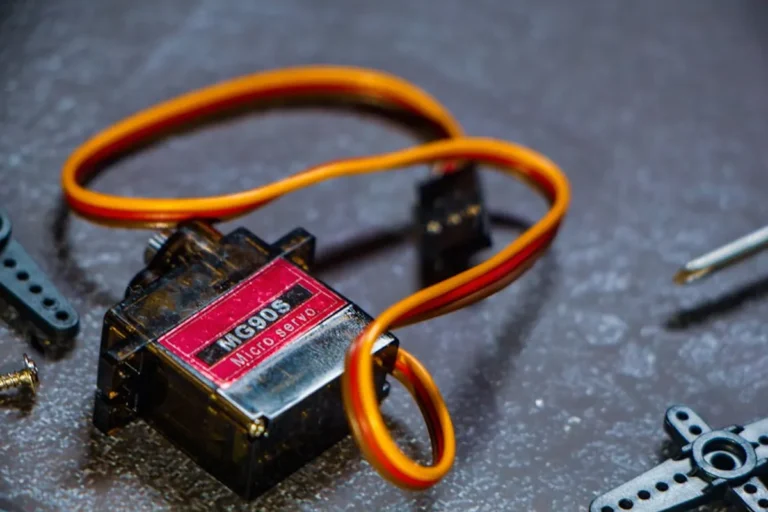
The Raspberry Pi platform offers a versatile foundation for bespoke home automation systems, moving beyond off-the-shelf solutions that often lock users into specific ecosystems or recurring subscription models. For those seeking granular control, data privacy, and the ability to integrate diverse hardware, a Raspberry Pi project provides a pathway to customized smart home functionality. This approach empowers users to design systems tailored to their exact requirements, from environmental monitoring to comprehensive security setups, leveraging open-source software and community support.
Choosing the right project involves assessing technical comfort, desired functionality, and the scope of integration. The decision often balances initial setup complexity against long-term flexibility and cost savings. This guide details twelve distinct Raspberry Pi home automation projects, outlining their core applications, benefits, and potential challenges to aid in selecting a suitable endeavor.
What to Look For in a Raspberry Pi Home Automation Project
Before committing to a project, evaluate several key factors to ensure alignment with your technical capabilities and automation goals. Consider the project's complexity, which dictates the required coding knowledge and hardware assembly skills. Projects range from simple sensor integrations requiring basic Python to full-fledged smart home hubs demanding familiarity with Linux environments and configuration files. Budget is another critical consideration; while the Raspberry Pi itself is affordable, peripheral sensors, relays, cameras, and enclosures can add significant cost. Prioritize projects that offer clear documentation and active community support, as these resources are invaluable for troubleshooting and expansion. Finally, assess the practical utility and scalability. A project should address a genuine need or enhance convenience, and ideally, allow for future additions or modifications without a complete system overhaul.
1. Smart Home Hub with Home Assistant
This project transforms a Raspberry Pi into a central control unit for various smart devices, using the open-source Home Assistant platform. Home Assistant offers extensive integration capabilities with hundreds of devices and services, from Zigbee and Z-Wave sensors to Wi-Fi-enabled smart plugs and media players. It allows for complex automations, custom dashboards, and local control, reducing reliance on cloud services and improving data privacy. The Pi runs Home Assistant OS, providing a dedicated and optimized environment for the software.
Best for: Users seeking a centralized, highly customizable, and privacy-focused smart home control system with broad device compatibility.
Pros:
- Extensive integrations: Supports a vast array of smart home devices and protocols, including Z-Wave, Zigbee, Wi-Fi, and Bluetooth.
- Local control: Automations and device control largely operate offline, enhancing reliability and privacy.
- Customization: Offers deep configuration options for automations, dashboards, and user interfaces.
- Active community: Large and supportive community provides extensive documentation, forums, and add-ons.
Cons:
- Steep learning curve: Initial setup and advanced automations require technical proficiency and familiarity with YAML configuration.
- Hardware requirements: May necessitate additional USB dongles for Z-Wave or Zigbee device communication.
- Maintenance: Regular updates and occasional troubleshooting are part of managing the system.
Verdict: A powerful and flexible solution for advanced users willing to invest time in setup and configuration, offering unparalleled control and privacy for a comprehensive smart home.
2. Security Camera System with MotionEyeOS
Utilizing MotionEyeOS, a Raspberry Pi can become the core of a DIY surveillance system. This project allows users to connect multiple USB webcams or Raspberry Pi Camera Modules, stream video feeds, detect motion, and record footage locally or to cloud storage. MotionEyeOS provides a web interface for configuration and viewing, making it accessible from any device on the network. It's a cost-effective alternative to commercial NVRs (Network Video Recorders).
Best for: Individuals requiring a customizable, local, and budget-friendly multi-camera surveillance system with motion detection capabilities.
Pros:
- Cost-effective: Leverages affordable cameras and the Raspberry Pi, avoiding expensive commercial NVRs.
- Motion detection: Configurable motion detection zones and sensitivity to trigger recordings or notifications.
- Web interface: Easy access and management of camera feeds and settings via a browser.
- Flexible storage: Supports local storage (USB drive) or network shares for recorded footage.
Cons:
- Limited processing power: A single Raspberry Pi may struggle with high-resolution streams from multiple cameras simultaneously.
- Night vision: Requires cameras with infrared capabilities for effective low-light surveillance.
- Network bandwidth: Multiple high-definition streams can consume significant network resources.
Verdict: An excellent choice for basic to moderate surveillance needs, offering robust features for its cost, provided camera count and resolution are managed according to Pi capabilities.
3. Automated Lighting Control
This project involves using a Raspberry Pi to control home lighting, ranging from simple on/off scheduling to complex sensor-driven automations. It can interface with various lighting systems, including smart bulbs (via APIs), traditional lights controlled by smart relays, or even custom LED strips. Common implementations include scheduled dimming, motion-activated lights, or integration with presence detection systems to mimic occupancy.
Best for: Enhancing energy efficiency, convenience, and security through intelligent management of interior and exterior lighting.
Pros:
- Energy savings: Automates lights to turn off when not needed or dim during specific hours.
- Convenience: Remote control, scheduling, and sensor-triggered lighting eliminate manual operation.
- Security: Can simulate occupancy when away, deterring potential intruders.
- Flexibility: Compatible with various lighting technologies, from smart bulbs to traditional fixtures with relays.
Cons:
- Wiring complexity: Integrating relays for traditional lights may require electrical knowledge and caution.
- Compatibility challenges: Different smart bulb brands may require separate integration methods or APIs.
- Initial setup time: Configuring schedules, scenes, and sensor interactions can be time-consuming.
Verdict: A highly practical project that significantly improves daily living and energy management, scalable from single-room control to whole-house integration with careful planning.
4. Environmental Monitoring and Control
A Raspberry Pi can monitor indoor or outdoor environmental conditions like temperature, humidity, and air quality using various sensors (e.g., DHT11/22 for temp/humidity, BME280 for pressure, MQ series for gas detection). Data can be logged, visualized on a dashboard, and used to trigger actions, such as activating a fan if the temperature exceeds a threshold or sending alerts for poor air quality. This project provides actionable insights into living conditions.
Best for: Health-conscious individuals, those managing indoor climates, or anyone interested in data-driven environmental awareness.
Pros:
- Data insights: Provides continuous monitoring and historical data for environmental trends.
- Actionable automation: Automatically adjusts fans, humidifiers, or alerts based on sensor readings.
- Customizable sensors: Supports a wide range of affordable sensors for different parameters.
- Cost-effective: Much cheaper than commercial environmental monitoring stations with similar capabilities.
Cons:
- Sensor calibration: Some sensors may require calibration for accurate readings.
- Enclosure design: Protecting outdoor sensors from weather requires careful enclosure design.
- Data visualization setup: Setting up a dashboard (e.g., with Grafana) can be complex for beginners.
Verdict: An informative and functional project that offers tangible benefits for comfort and health, with scalability to integrate multiple monitoring points and control mechanisms.
5. Voice Assistant Integration
While not creating a new voice assistant from scratch, this project focuses on integrating existing voice services (like Mycroft AI, or custom interfaces for Amazon Alexa/Google Assistant) with a Raspberry Pi to control home automation devices. The Pi acts as a local command processor or a bridge, allowing users to issue voice commands to their smart home hub or directly to connected devices without relying on commercial smart speakers for every interaction. This can enhance privacy by processing some commands locally.
Best for: Users who prefer voice control for their home automation but desire more customization or local processing capabilities than commercial options provide.
Pros:
- Enhanced control: Provides a voice interface for custom automations and devices not typically supported by commercial assistants.
- Privacy potential: Can be configured for local processing of commands, reducing reliance on cloud services.
- Custom wake words: Allows for personalized wake words beyond standard options.
- Open-source flexibility: Mycroft AI offers deep customization for voice commands and responses.
Cons:
- Microphone quality: Requires a high-quality microphone for reliable voice recognition, which can add cost.
- Setup complexity: Integrating voice services and connecting them to home automation platforms can be challenging.
- Processing demands: Voice recognition can be resource-intensive, potentially impacting other Pi functions.
Verdict: A rewarding project for those seeking a more integrated and personalized voice control experience, offering a balance between convenience and technical challenge.
6. Automated Blinds and Curtains
This project uses a Raspberry Pi, stepper motors, and motor drivers to automate the opening and closing of blinds or curtains. The system can be programmed to operate on a schedule (e.g., sunrise/sunset), respond to light sensors, or be controlled remotely via a web interface or smart home hub integration. It enhances comfort, privacy, and can contribute to energy efficiency by managing solar gain.
Best for: Improving comfort, privacy, and energy management by automating window coverings, particularly for hard-to-reach windows.
Pros:
- Convenience: Eliminates manual operation of blinds, especially useful for multiple windows or large coverings.
- Energy efficiency: Can be programmed to close during peak sun hours to reduce cooling load or open for passive heating.
- Privacy: Automates privacy settings based on time of day or occupancy.
- Customizable: Adapts to various types of blinds (roller, Venetian) with appropriate motorization.
Cons:
- Mechanical complexity: Requires mechanical assembly and precise motor mounting.
- Power requirements: Motors need a separate power supply, adding to wiring complexity.
- Noise: Some stepper motors can be audible during operation, depending on type and installation.
Verdict: A practical project that adds a layer of sophistication to home comfort and energy management, requiring a blend of electronics, programming, and mechanical skills.
7. Smart Irrigation System
A Raspberry Pi-controlled irrigation system automates garden watering based on various factors like weather forecasts, soil moisture levels, and predefined schedules. Using solenoid valves connected via relays, the Pi can activate specific watering zones. Integration with online weather APIs ensures watering only occurs when necessary, conserving water and promoting plant health. Soil moisture sensors provide real-time data for precise watering decisions.
Best for: Gardeners and homeowners looking to optimize water usage, maintain plant health, and automate garden care efficiently.
Pros:
- Water conservation: Reduces water waste by watering only when needed, based on environmental data.
- Plant health: Ensures consistent and appropriate watering, preventing over or under-watering.
- Convenience: Eliminates manual watering, especially beneficial for larger gardens or when away from home.
- Weather integration: Adapts watering schedules based on real-time weather forecasts.
Cons:
- Outdoor durability: Components (Pi, sensors, relays) need robust, waterproof enclosures for outdoor use.
- Wiring complexity: Connecting multiple solenoid valves and sensors requires careful wiring and power management.
- Initial setup: Configuration of zones, schedules, and sensor thresholds can be time-consuming.
Verdict: An environmentally conscious and time-saving project that offers significant benefits for garden maintenance, requiring careful planning for outdoor deployment and electrical safety.
8. Garage Door Opener and Monitor
This project enables remote control and monitoring of a garage door using a Raspberry Pi. A relay connected to the Pi can simulate a button press to open or close the door, while a magnetic contact sensor or ultrasonic sensor can report the door's current status (open/closed). This allows for remote operation via a web interface or smart home integration, and provides notifications if the door is left open.
Best for: Enhancing home security and convenience by adding smart control and status monitoring to an existing garage door system.
Pros:
- Remote access: Open or close the garage door from anywhere via a smartphone or web interface.
- Security alerts: Receive notifications if the garage door is left open for an extended period.
- Status monitoring: Always know the exact state of the garage door (open/closed).
- Cost-effective: A cheaper alternative to many commercial smart garage door openers.
Cons:
- Safety considerations: Incorrect wiring or programming could lead to safety hazards; requires careful implementation.
- Wireless range: Ensuring reliable Wi-Fi connectivity in the garage can sometimes be a challenge.
- Power supply: Requires a power source for the Raspberry Pi in the garage.
Verdict: A high-utility project that significantly improves home security and convenience, but demands meticulous attention to safety protocols and reliable network connectivity.
9. Presence Detection System
A Raspberry Pi can create a presence detection system that identifies whether residents are home, triggering various automations. This can be achieved through multiple methods: monitoring Wi-Fi device connections (e.g., phones on the home network), Bluetooth beacons, or even facial recognition with a camera. Knowing who is home allows for intelligent control of lights, thermostat settings, security systems, and more, optimizing energy use and comfort.
Best for: Automating home functions based on occupancy, optimizing energy consumption, and enhancing personalized comfort settings.
Pros:
- Energy optimization: Automatically adjusts heating/cooling and lighting when no one is home.
- Personalized automations: Triggers specific scenes or settings based on individual presence.
- Enhanced security: Can arm/disarm security systems automatically.
- Multiple detection methods: Supports various approaches, from passive Wi-Fi scanning to active Bluetooth tracking.
Cons:
- False positives/negatives: Wi-Fi detection can be unreliable if devices disconnect or roam.
- Privacy concerns: Facial recognition or detailed tracking methods raise privacy questions.
- Setup complexity: Integrating multiple detection methods and fine-tuning thresholds can be intricate.
Verdict: A sophisticated project that offers significant energy savings and personalized automation, but requires careful consideration of privacy and robust configuration to minimize false readings.
10. Smart Pet Feeder
Automate pet feeding with a Raspberry Pi-controlled dispenser. This project typically involves a stepper motor to dispense a measured amount of food from a hopper at scheduled times. It can also include features like a camera for monitoring, a microphone for two-way audio, or even weight sensors to track food levels. Remote control allows for unscheduled feeding or adjustments when away from home, ensuring pets are fed consistently.
Best for: Pet owners seeking reliable, automated feeding schedules and remote monitoring capabilities for their animals.
Pros:
- Consistent feeding: Ensures pets are fed on time, even when owners are absent.
- Portion control: Accurately dispenses specific food amounts, aiding in pet health management.
- Remote management: Allows for manual feeding or schedule adjustments from anywhere.
- Monitoring: Optional camera and microphone integration provides peace of mind.
Cons:
- Mechanical design: Requires careful construction of the food dispensing mechanism to prevent jams.
- Power reliability: Needs a stable power supply; battery backup is advisable for extended outages.
- Food type limitations: May not be suitable for all types of pet food (e.g., wet food).
Verdict: A highly practical and reassuring project for pet owners, balancing mechanical ingenuity with programming to ensure animal welfare and convenience.
11. Energy Monitoring System
A Raspberry Pi can be configured to monitor household energy consumption by integrating with current clamps (CT sensors) or smart meters that expose data via an API. This project provides real-time and historical data on electricity usage, allowing users to identify energy-hungry appliances, track consumption patterns, and make informed decisions to reduce utility bills. Data can be visualized through dashboards like Grafana or integrated into a smart home hub for automated responses.
Best for: Homeowners focused on energy conservation, reducing electricity bills, and gaining detailed insights into their household power consumption.
Pros:
- Cost savings: Identifies energy waste, leading to informed decisions for reduced utility bills.
- Detailed insights: Provides granular data on appliance-level or whole-house energy consumption.
- Environmental impact: Contributes to a lower carbon footprint through conscious energy use.
- Integration potential: Data can feed into smart home automations (e.g., turn off high-draw devices when not needed).
Cons:
- Installation complexity: Requires safe installation of CT clamps around live electrical wires, often best left to a qualified electrician.
- Accuracy: Accuracy can vary depending on sensor quality and calibration.
- Data interpretation: Requires some effort to analyze and act upon the collected data effectively.
Verdict: A valuable project for the energy-conscious, offering measurable financial and environmental benefits, but demanding careful and safe electrical installation.
12. Door and Window Sensor Alarm
This project transforms a Raspberry Pi into a basic security system by monitoring the status of magnetic contact sensors placed on doors and windows. When a sensor detects an opening, the Pi can trigger an alarm (e.g., a siren connected via a relay), send notifications to a smartphone, or integrate with a smart home hub to perform other actions like turning on lights. It offers a customizable and local alternative to commercial alarm systems.
Best for: Individuals seeking a customizable, local, and cost-effective entry point into home security monitoring and alerts.
Pros:
- Cost-effective: Leverages inexpensive magnetic contact sensors and the Raspberry Pi for a basic security setup.
- Customizable alerts: Configurable notifications (SMS, email, push) and alarm responses.
- Local control: Operates independently of cloud services, enhancing reliability and privacy.
- Scalability: Easily expandable with more sensors and integration into a broader smart home system.
Cons:
- Limited features: Lacks advanced features of commercial systems like professional monitoring or cellular backup.
- Wiring: Requires running wires for sensors or using wireless sensors with a compatible receiver.
- False alarms: Sensitivity settings and sensor placement need careful tuning to prevent nuisance alerts.
Verdict: A solid foundational project for home security, offering essential monitoring and alerting capabilities with the flexibility to grow into a more comprehensive system.
Choosing the Right Raspberry Pi Project for Your Home
Selecting the optimal Raspberry Pi home automation project requires a realistic assessment of your personal needs, technical skills, and available resources. Begin by identifying the most pressing pain points or desired conveniences in your home. Do you want to save energy, enhance security, or simply add convenience? Next, honestly evaluate your comfort level with programming, electronics, and troubleshooting. Some projects, like a smart home hub, demand a significant learning investment, while others, such as a basic environmental monitor, are more beginner-friendly.
Consider the total cost, not just of the Raspberry Pi, but also of necessary sensors, relays, cameras, and enclosures. Factor in the time commitment for setup, configuration, and ongoing maintenance. Prioritize projects with extensive online documentation and an active community, as these resources are invaluable for overcoming challenges. Finally, think about scalability. Will the chosen project integrate well with future additions, or will it