Sensors are the fundamental interface between the physical world and your DIY electronics projects. They transform environmental conditions—like temperature, light, motion, or distance—into electrical signals that microcontrollers can interpret and act upon. For anyone building interactive devices, understanding how to select, connect, and read these components is the first step toward creating truly responsive systems. This guide provides a foundational understanding of common sensor types and their practical integration, equipping you to move from conceptual design to functional prototype.
Understanding Sensor Fundamentals
At its core, a sensor is a transducer: it converts one form of energy into another. In electronics, this means converting a physical phenomenon into an electrical signal. This signal can be either analog or digital, a crucial distinction for beginners.
- Analog Sensors: These produce a continuous range of output values that correspond directly to the physical quantity being measured. For example, a temperature sensor might output a voltage that increases proportionally with temperature. Microcontrollers typically read these signals using an Analog-to-Digital Converter (ADC).
- Digital Sensors: These output discrete signals, often in the form of high/low voltage states (on/off) or data packets transmitted via digital communication protocols (like I2C or SPI). A push button, for instance, is a simple digital sensor, indicating either pressed or unpressed.
The choice between analog and digital often depends on the required precision, the complexity of the data, and the microcontroller's capabilities.
Common Sensor Types for DIY Projects
A diverse array of sensors exists, but several types frequently appear in beginner-friendly DIY electronics projects due to their simplicity, cost-effectiveness, and broad applicability.
Temperature and Humidity Sensors
These sensors measure ambient temperature, relative humidity, or both. They are essential for environmental monitoring, smart home systems, and climate control applications.
Examples:
- NTC Thermistors: Simple, inexpensive resistors whose resistance changes significantly with temperature. They are analog and require calibration.
- DHT11/DHT22: Digital sensors that provide both temperature and humidity readings. They use a single data line for communication, simplifying wiring. The DHT22 offers higher accuracy and a wider range than the DHT11.
- LM35/TMP36: Analog temperature sensors that output a voltage directly proportional to the Celsius or Fahrenheit temperature, simplifying conversion.
Light Sensors
Light sensors detect the presence or intensity of light. They are used in automatic lighting systems, light-following robots, and ambient light detection.
Examples:
- Photoresistors (LDRs): Also known as Light-Dependent Resistors, their resistance decreases as light intensity increases. They are analog components, typically used in a voltage divider circuit.
- Photodiodes/Phototransistors: These components generate current or voltage proportional to incident light. They offer faster response times than LDRs and are often used for precise light measurement or optical communication.
- BH1750: A digital ambient light sensor that measures light intensity in lux. It communicates via the I2C protocol, providing precise, calibrated readings.
Motion and Proximity Sensors
These sensors detect movement or the presence of an object within a certain range. They are critical for security systems, automated doors, and interactive displays.
Examples:
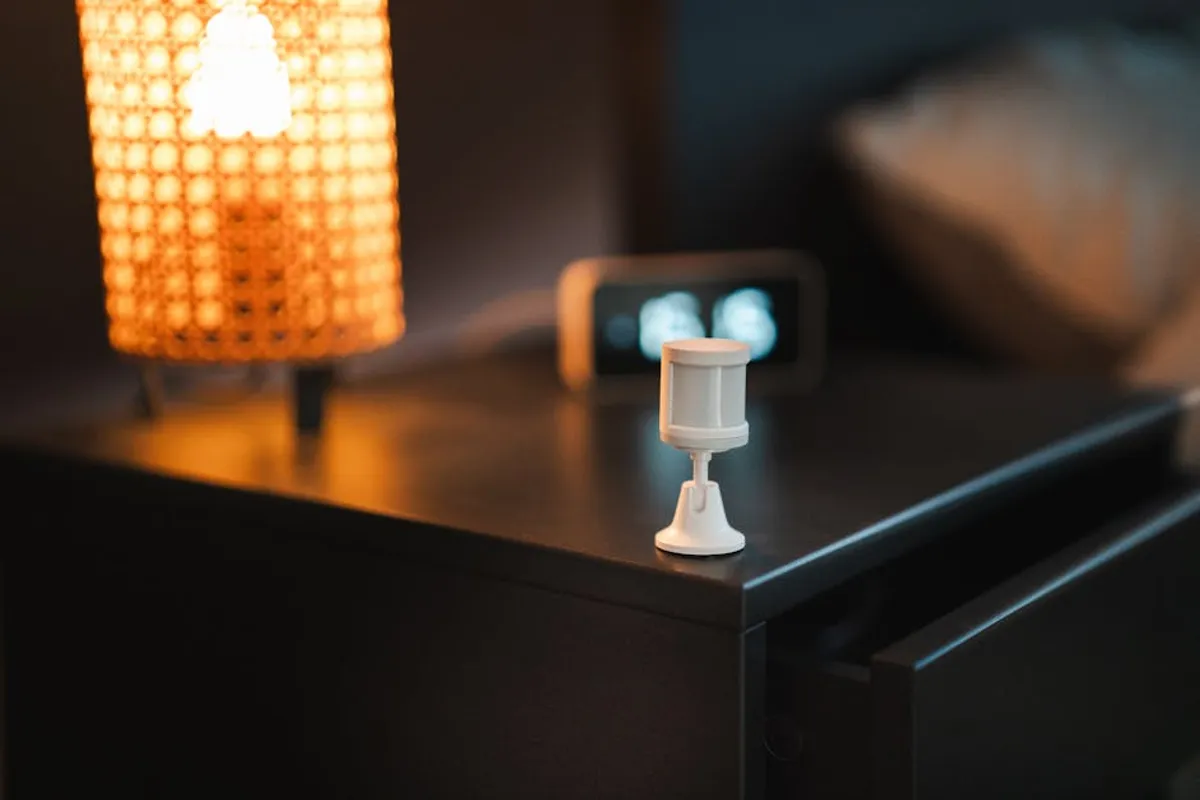
- Passive Infrared (PIR) Sensors: Detect changes in infrared radiation, typically emitted by moving warm bodies. They output a digital high/low signal when motion is detected, making them common in security alarms and automated lighting.
- Ultrasonic Distance Sensors (e.g., HC-SR04): Emit ultrasonic sound waves and measure the time it takes for the echo to return. This time-of-flight measurement determines the distance to an object. They are widely used in robotics for obstacle avoidance and distance measurement.
- Infrared (IR) Proximity Sensors: Emit IR light and detect its reflection. They are used for short-range obstacle detection, line following (with multiple sensors), and object counting.
Environmental and Specialty Sensors
Beyond the basics, many sensors target specific environmental parameters or unique applications.
Examples:
- Soil Moisture Sensors: Measure the volumetric water content in soil. Essential for automated plant watering systems.
- Gas Sensors (e.g., MQ series): Detect the concentration of specific gases like carbon monoxide, methane, or alcohol. Used in air quality monitoring and safety systems.
- Hall Effect Sensors: Detect magnetic fields. Useful for non-contact switches, speed measurement, and current sensing.
Integrating Sensors into Your Project
Connecting a sensor to a microcontroller involves understanding its power requirements, signal output, and communication protocol. Most sensors require a 3.3V or 5V power supply and a ground connection. The signal pin then connects to an appropriate input on your microcontroller (e.g., an analog input pin for analog sensors, or a digital I/O pin for digital sensors).
For digital sensors using serial communication protocols like I2C or SPI, specific library code is often available to simplify data retrieval. Analog sensors, on the other hand, typically require reading a voltage and converting it to a meaningful unit using a simple mathematical formula derived from the sensor's datasheet.
Pro Tip: Always consult the sensor's datasheet before wiring or coding. Datasheets provide critical information on operating voltage, current draw, pin assignments, output characteristics, and any required external components. Overlooking these details can lead to incorrect readings or component damage.
Selecting the Right Sensor
Choosing a sensor involves balancing several factors:
- Accuracy and Precision: How critical is the exact measurement? Some applications require high precision (e.g., scientific instruments), while others only need general detection (e.g., motion detection).
- Range: What minimum and maximum values does the sensor need to detect?
- Response Time: How quickly does the sensor need to react to changes?
- Power Consumption: Important for battery-powered projects.
- Output Type: Analog sensors are simpler for basic readings, while digital sensors often provide pre-calibrated data and reduce noise.
- Cost and Availability: Budget constraints and ease of sourcing are practical considerations.
Practical Applications and Project Ideas
Sensors unlock a vast range of DIY project possibilities:
- Automated Plant Watering System: Uses a soil moisture sensor to trigger a pump when soil dryness reaches a threshold.
- Smart Lighting: Employs a photoresistor or BH1750 to turn lights on at dusk and off at dawn, or a PIR sensor to activate lights upon detecting movement.
- Obstacle Avoiding Robot: Integrates ultrasonic or IR proximity sensors to detect objects and change direction.
- Weather Station: Combines temperature, humidity, and potentially barometric pressure sensors to monitor local atmospheric conditions.
- Security Alarm: Utilizes PIR sensors on entry points to detect intruders and trigger an alarm or notification.
Advancing Your Sensor Skills
Starting with basic sensors and understanding their fundamental operation provides a solid foundation. As you gain experience, explore more advanced topics such as sensor calibration, noise reduction techniques, and integrating multiple sensors for complex data fusion. Experimentation is key to mastering sensor integration. Begin with simple projects to build confidence, then gradually tackle more sophisticated applications. Online communities, tutorials, and manufacturer documentation are invaluable resources for expanding your knowledge and troubleshooting challenges.
Frequently Asked Questions
What is the main difference between an analog and a digital sensor?
An analog sensor outputs a continuous range of values, typically varying voltage or current, directly proportional to the physical quantity measured. A digital sensor, conversely, outputs discrete values, often binary (on/off) signals or data packets, representing specific states or measurements.
Do I need a microcontroller for every sensor?
While many sensors are designed to interface with microcontrollers for data processing and control, some very simple sensors, like a basic switch or a photoresistor in a simple light-activated circuit, can function without a microcontroller if their output directly controls a simple load (e.g., turning an LED on or off).
How do I choose the right sensor for my project?
Consider the physical quantity you need to measure, the required accuracy and range, the project's power constraints, and your budget. Also, assess the output type (analog or digital) and the communication protocol required, ensuring compatibility with your chosen microcontroller.
What is a sensor datasheet and why is it important?
A sensor datasheet is a technical document provided by the manufacturer that details the sensor's specifications, including operating voltage, current consumption, pinout, measurement range, accuracy, output characteristics, and recommended usage. It is crucial for correct wiring, programming, and understanding the sensor's limitations.